
How it works
Get your vehicle inspection report fast
-
Purchase
Choose Uber, Lyft, Turo, Wingz, or a bundle.
-
Schedule
Pick a time that works for you.
-
Guided virtual inspection
We walk you through every step.
-
Get your signed report
Emailed after your vehicle passes.
Frequently asked questions
Use the FAQ section to answer your customers' most frequent questions.
Inspections & Eligibility
Can I use DriveReady for Uber, Lyft, Turo or Wingz?
Yes. DriveReady provides live video vehicle inspections designed for common rideshare and car-sharing requirements (often referred to as a “19-point inspection”). After you pass, you receive a completed, signed PDF inspection report for upload.
Are you affiliated with Uber, Lyft, Turo, or Wingz?
No. DriveReady is an independent third-party inspection provider. Uber, Lyft, Turo, and Wingz are separate companies and may update document requirements over time.
Who performs the inspection?
A trained inspection professional guides your video session and verifies checklist items on camera. If your listing mentions ASE-certified mechanics, your session is handled according to that standard.
Is an online/virtual inspection accepted in my state?
In many areas, yes—especially when your driver/host app accepts a standard inspection form upload. Some locations require an in-person state inspection or a physical sticker and may not accept video inspections. The fastest way to confirm is your app’s Documents/Vehicle Inspection section. If you tell us your city/state and platform, support can help you verify what’s accepted.
Do you offer inspections near me?
DriveReady is online, so you can complete your inspection from your location (US coverage). This is ideal if you’re searching for “Uber inspection near me,” “Lyft inspection near me,” or “online rideshare inspection” and want same-day availability without visiting a shop.
What vehicles can you inspect?
Most standard passenger vehicles used for rideshare or car-sharing (sedans, SUVs, minivans, and light trucks) can be inspected. We do not inspect motorcycles or heavy commercial vehicles (Class A/B) through this service.
Can I inspect more than one vehicle?
Yes. Each vehicle requires its own inspection session and its own signed report (VIN-specific).
Can you inspect a rental car or temporary replacement vehicle?
It depends on your platform’s rules. Many platforms require the vehicle to be registered/insured under specific conditions. If you’re using a rental or temporary vehicle, confirm the platform’s document requirements first.
Do you provide emissions testing or smog checks?
No. DriveReady provides safety inspections via live video (lights, tires, wipers, mirrors, seatbelts, etc.). Emissions/smog testing must be completed through an authorized in-person facility when required.
How often do Uber/Lyft/Turo/Wingz inspections expire?
Expiration timing depends on platform policy and sometimes your location. Many drivers see an annual requirement, but your app is the source of truth. Your signed PDF is tied to your inspection date and vehicle details.
Pass/Fail Criteria
What are the most common reasons drivers fail a rideshare inspection?
The most common fails are: brake lights/turn signals not working, worn tires, cracked windshield in the driver’s view, wiper issues, warning lights on the dashboard, and poor lighting/visibility during the video inspection.
My Check Engine light is on—will I pass?
Often, no. Active warning lights (Check Engine, ABS, airbag/SRS) are commonly treated as safety concerns and can result in a fail. If possible, resolve the issue before your appointment.
What about ABS or airbag warning lights?
ABS and airbag/SRS warnings are typically treated seriously because they relate to braking and occupant safety. If a warning light is on, expect it may not pass.
Will a cracked windshield fail an Uber, Lyft, Turo or Wingz inspection?
It depends on size and location. Cracks or chips in the driver’s direct line of sight or damage that significantly obstructs visibility often fail. Minor chips outside the main viewing area may be acceptable.
What tire tread depth do I need to pass?
Tires must be safe and roadworthy with visible tread and no cords/wires showing, sidewall bubbles, or major damage. If you’re unsure, replace tires before inspection—this is a top reason for failure.
Which lights are checked during the inspection?
Common checks include headlights (low/high), brake lights, tail lights, turn signals, hazard lights, reverse lights, and license plate illumination when required. We’ll guide you step-by-step on camera.
Are windshield wipers and washer fluid checked?
Yes. Wipers should clear the windshield effectively and not be torn or missing. Washer function may be checked depending on the form/checklist.
Do mirrors and horn matter for passing?
Yes. Mirrors should be intact and functional. The horn must work. These items are commonly included on rideshare inspection forms.
Do seatbelts affect pass/fail?
Yes. Seatbelts must latch, retract, and be in good condition. Frayed or non-functional belts can fail.
Will window tint fail the inspection?
Tint rules vary by state and platform. Safety inspections typically focus on visibility and required equipment. If your tint is extremely dark or affects safe driving, it may be flagged.
Will dents or cosmetic damage fail the inspection?
Minor cosmetic damage usually won’t fail. However, safety-related issues (sharp edges, loose panels, cracked lights, visibility problems) can affect pass/fail.
Are brakes tested during a video inspection?
We visually verify related indicators and components that can be checked on camera (as required by the checklist). If your vehicle has braking warning lights or obvious brake issues, fix them before inspection.
Process & Tech
How does a DriveReady online inspection work?
You purchase an inspection, schedule a time, and join a live video call. We guide you through the checklist, verify each item on camera, and then email your signed PDF inspection report after a successful pass.
How long does a video vehicle inspection take?
Most inspections take about 10–15 minutes. Good lighting, a strong connection, and being ready to show lights/tires/wipers can make it faster.
What should I have ready before the call?
Park safely in a well-lit area (daylight is best). Have your phone charged, turn your hazards on when asked, and be prepared to show tires, lights, wipers, mirrors, horn, seatbelts, and dashboard indicators. A flashlight helps for tires and under-car views.
Do I need to download an app?
Typically no. Most virtual inspections can be completed using a secure link in your mobile browser. If your workflow requires a specific method, your confirmation email will include exact steps.
What if my internet is slow?
A stable 4G/5G or strong Wi-Fi is recommended. If the connection is unstable, move closer to Wi-Fi, switch networks, or reschedule. Clear video is important to verify safety items.
My call dropped—what do I do?
Reconnect using your session link. We’ll continue from where you left off.
Can I do the inspection at night?
Yes, if you have strong lighting so we can clearly see each item on camera. Insufficient lighting is one of the top reasons inspections take longer.
Is the video inspection private and secure?
Your session is used to verify vehicle safety items and complete your inspection report. For details on handling of information, review the DriveReady Privacy Policy and contact support with questions.
Certificate & Uploading
How fast do I receive my signed inspection form (PDF)?
After your inspection is completed and your vehicle passes, we email your signed PDF inspection report. If you don’t see it, check Spam/Junk and search your inbox for “DriveReady.”
What’s included in the inspection report?
A completed inspection checklist and required inspection details for your vehicle. Reports are VIN-specific and signed for upload.
Where do I upload the inspection form for Uber, Lyft, Turo or Wingz?
In most cases: open your driver app → Account → Documents → Vehicle Inspection (wording may vary). Upload the PDF there. If you tell us your platform and what you see in the app, we can guide you step-by-step.
Where do I upload the inspection for Turo?
In your Turo host dashboard, look for vehicle documents or inspection requirements for that vehicle. Upload the signed PDF as requested. Requirements can vary by vehicle and location.
Do I need to print the inspection form?
Usually no—most platforms accept a digital upload. If a specific location requests a printed copy, you can print the PDF we email you.
My inspection document was rejected—what should I do?
Rejections happen when the platform needs a different form, different details, or a state-specific requirement. Take a screenshot of the rejection message and email support so we can help you troubleshoot quickly.
What if the email I used at checkout is different from my Uber/Lyft/Turo/Wingz account email?
That’s okay for delivery, but your platform may require the correct account/vehicle details on documents. If you need help matching details, contact support with your order email and the platform account email.
Scheduling & Same-Day Appointments
Do I need an appointment for a DriveReady inspection?
Yes. After checkout, you’ll receive a scheduling link to choose a time for your live video inspection.
Do you offer same-day Uber/Lyft/Turo/Wingz inspections?
Often, yes—same-day availability depends on open time slots. After checkout, use the scheduling link to see the soonest available appointment.
Can I reschedule my inspection appointment?
Yes. Use your scheduling link to change your appointment time as long as your session hasn’t started yet.
What if I’m late or I miss my appointment?
If you miss your time, use your scheduling link to select a new slot (availability may vary). If you’re unsure, contact support and include the email used at checkout.
I didn’t get the scheduling email—what should I do?
Check Spam/Junk, then search your inbox for “DriveReady.” If you still can’t find it, email support with your order email so we can resend your link.
How fast can I get back on the road after inspection?
If you pass and upload your signed PDF promptly, many drivers can be approved quickly. Activation timing is controlled by Uber/Lyft/Turo/Wingz and can vary by location and workload.
Pricing, Payments & Refunds
How much does a DriveReady inspection cost?
Pricing depends on the plan you select (Uber, Lyft, Uber+Lyft, or Turo). You’ll see the full price at checkout before you pay.
What payment methods do you accept?
We accept major credit and debit cards. Available payment options can vary slightly by device and checkout method.
Are there any hidden fees?
No. Your total is shown at checkout before purchase.
Can I get a refund if I haven’t completed the inspection yet?
If your inspection has not been completed and you no longer need it, contact support. When eligible, refunds are issued back to the original payment method (bank posting times can vary).
What if my platform requires an in-person state inspection and I already purchased?
If you discover your location requires an in-person/state-specific inspection, contact support with your platform and location. We’ll help you understand your options based on your order status.
What happens if I fail—do I need to pay again?
Re-inspection options depend on the plan and the reason for failure. We will clearly explain what needs to be fixed so you can get compliant quickly, then guide you on the next step.
Support & Policies
How do I contact DriveReady support?
Email support@driveready.co or use the chat option on our site. Include your name, phone number, and the email used at checkout so we can help faster.
How do I reconnect with an expert from a previous call?
Use your most recent session link or scheduling confirmation. If you can’t find it, contact support and we’ll route you correctly.
Can DriveReady diagnose or repair my vehicle?
No. DriveReady provides inspections only. If something fails, we’ll explain what didn’t pass so you can repair it locally and complete the inspection requirements.
What if my inspection PDF has a typo or missing detail?
Contact support with your order email and what needs correction. We’ll review and help resolve it as quickly as possible.
What if Uber/Lyft/Turo/Wingz changes requirements after my inspection?
Platform requirements can change. If your platform requests a different document or updated information, contact support with a screenshot of what they’re asking for and we’ll guide you on next steps.
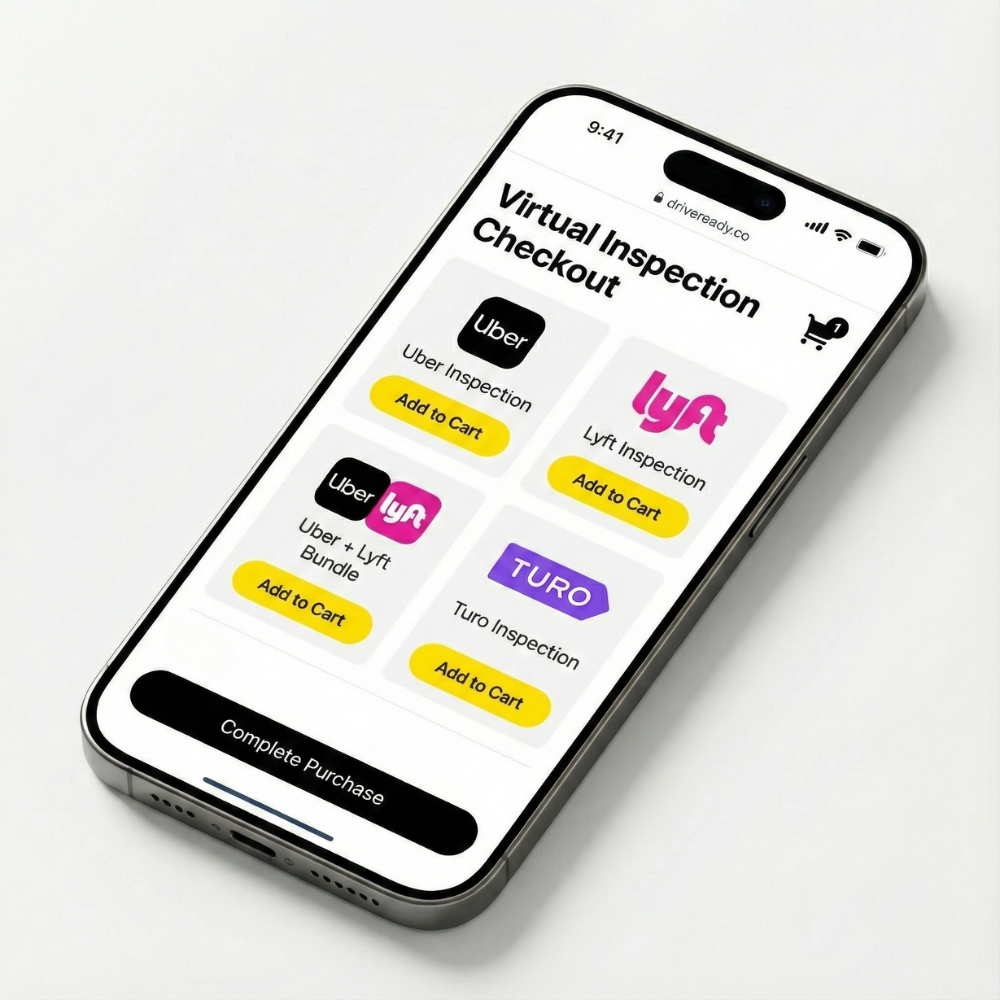
Purchase The Inspection Required
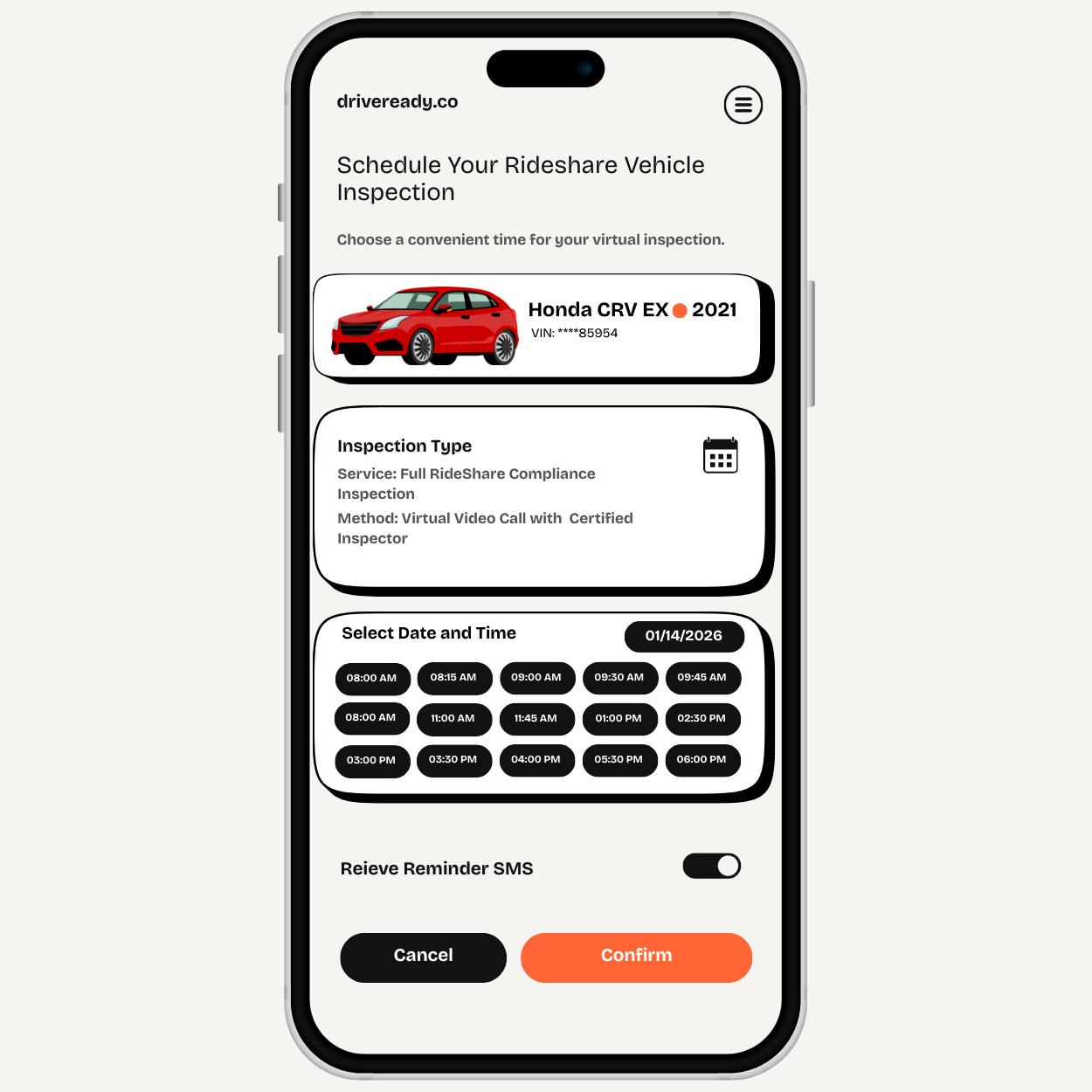
Schedule The Virtual Inspection
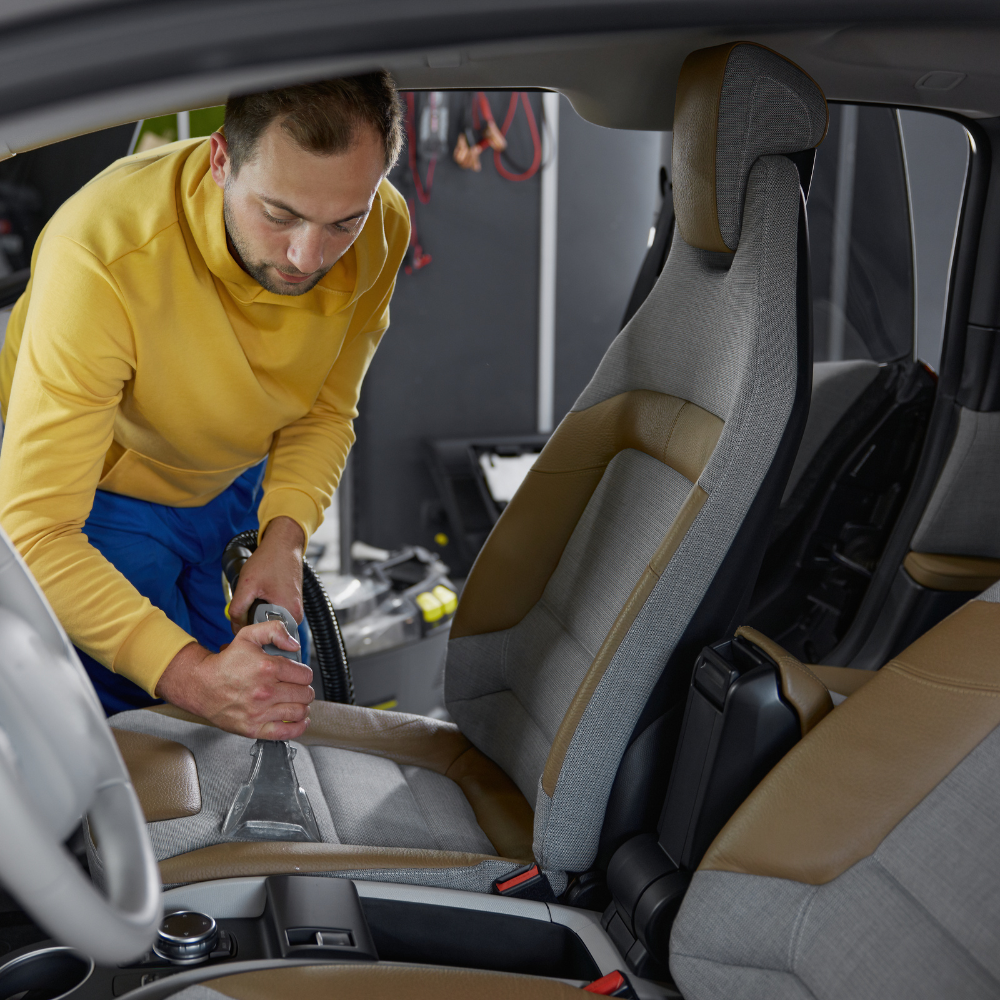
Prep the Vehicle

Perform Guided Virtual Inspection
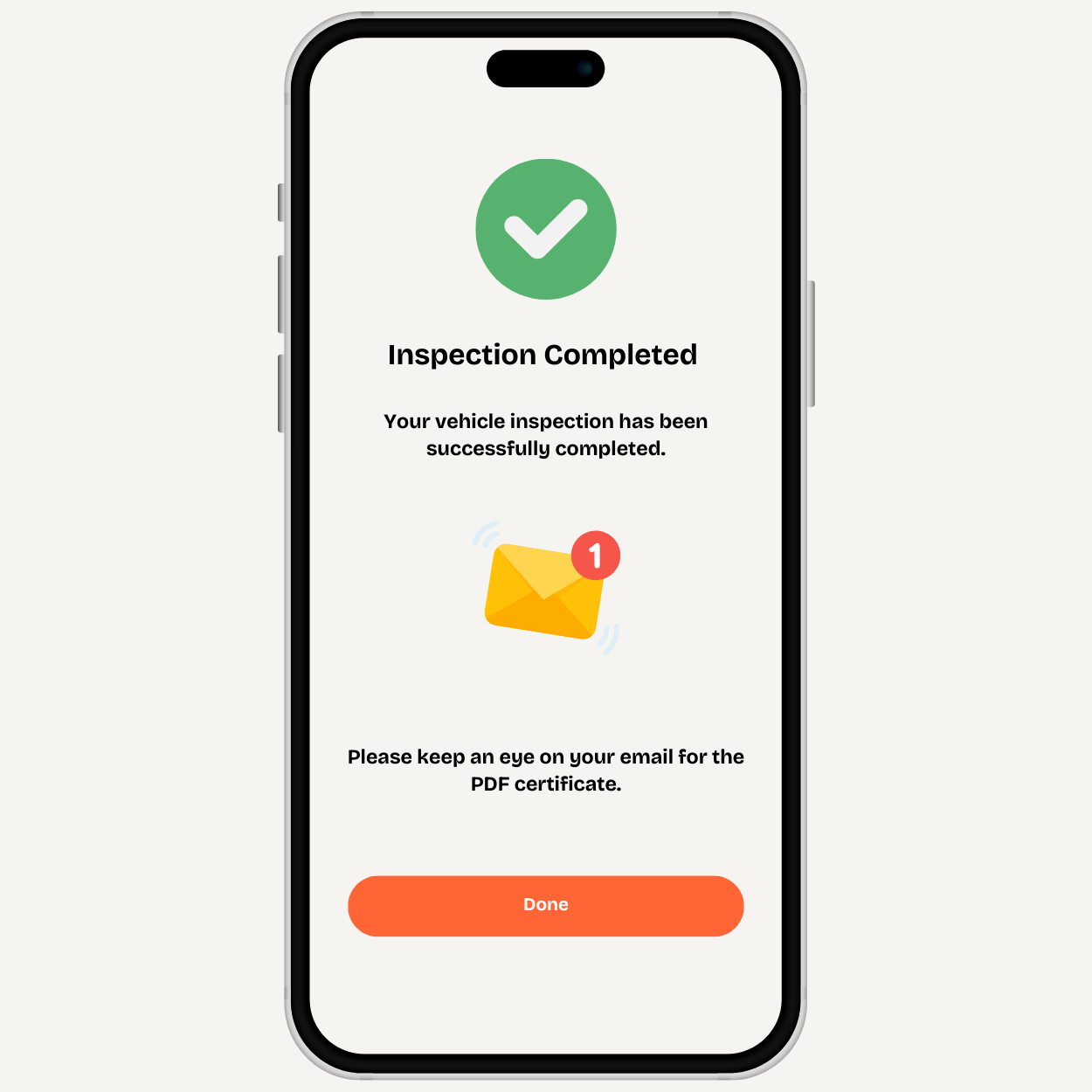
Receive Your Signed Inspection Report